These databases and websites provide information that may help with research projects and more. The databases are only available to the Oregon K-12 community.
If you access a Gale resource and are prompted to log in, either enter the name of your school district (2nd column) or the name of your private school (3rd column). If you happen to know your login, you may enter that instead (1st column).
Database Terms of Use
|
Educator Content
|
|
Do you want to share this page with students, but you don't want students to see the Educator Content section? Share this link instead of the URL at the top of the page:
https://secondary.oslis.org/find-information/student_view
Resources about Find Information
Gale
- If you are wondering which Gale K-12 database to use when, consult this comparison table (Word, PDF).
- This flyer created by Gale staff might be helpful to promote the Gale databases (PDF).
- Gale's support site offers resources to help promote and explain the databases, including webinars for library staff and other educators.
- The Gale login screen has three access options -- enter a username and password (1st column), enter the name of your school district (2nd column), or enter the name of your private school (3rd column). Notice that it is not necessary for users to know the login to gain access. Therefore, it is not necessary for library staff and classroom teachers to share the login with students. However, if you would like the Gale database login for your district or private school, contact the School Library Consultant at the State Library of Oregon by using the Feedback form at the bottom of this page.
- Educator's Reference Complete has content from over 1,000 education-related periodicals to help you stay current on the profession. Click on the database icon for access.

More
- Answerland is a virtual librarian reference service available in English and Spanish. Before using Answerland with your class, please review their Schools page.
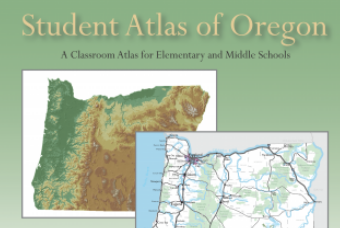
- The Student Atlas of Oregon is from the Center for Geography Education in Oregon at Portland State University. They offer additional atlases, lesson plans, and other instructional materials.
- The State of Oregon Law Library provides statewide access to a database called Legal Information Resource Center. A free law library account is required. Click on the database icon for information.
|
 Tutorial